Wednesday, October 22, 2008

Term 4 Session 1 Card Readers, Resolution

(UPDATE Aug 2012 - I have removed images that won't display correctly but will leave the text here as reference)

Sections in ITALICS are copied directly from the web site at the link above them. ie. click on
the link to read the full article and find more information.


A USB Card Reader
A USB Card Reader like this one, will typically implement the USB mass storage device class.


http://en.wikipedia.org/wiki/Photograph
"Non-digital photographs are produced with a two-step chemical process. In the two-step process the light-sensitive film captures a
negative image (colors and lights/darks are inverted). To produce a positive image, the negative is most commonly transferred ('printed') onto photographic paper. Printing the negative onto transparent film stock is used to manufacture motion picture films."

digital photography
"The advent of the microcomputer and digital photography has led to the rise of digital prints. These prints are created from stored graphic formats such as JPEG, TIFF, and RAW. The types of printers used include inkjet printers, dye-sublimation printer, laser printers, and thermal printers. Inkjet prints are sometimes given the coined name "Giclée"."

"Digital photography
is a form of photography that utilizes digital technology to make digital images of subjects. Until the advent of digital technology, photography used photographic film to create images which could be made visible by photographic processing. Digital images can be displayed, printed, stored, manipulated, transmitted, and archived using digital and computer techniques, without chemical processing.
Digital photography is one of several forms of digital imaging. Digital images are also created by non-photographic equipment such as computer tomography scanners and radio telescopes. Digital images can also be made by scanning conventional photographic images."


The main difference between the digital and analog is that digital must have a certain number of
steps or gradations but an analog representation has an infinitely fine number of steps and as such
should be able to produce a finer gradation.
As an example in a digital vs analog photo containing the sun the digital print will usually just be
smooth white but the analog may show some detail.


http://en.wikipedia.org/wiki/Pixel

"In digital imaging, a pixel (picture element[1]) is the smallest piece of information in an image.
Pixels are normally arranged in a regular 2-dimensional grid, and are often represented using
dots, squares, or rectangles. Each pixel is a
sample of an original image, where more samples
typically provide a more accurate representation of the original. The
intensity of each pixel is
variable; in color systems, each pixel has typically three or four components such as

red, green, and blue, or cyan, magenta, yellow, and black."

This example shows an image with a portion greatly enlarged, in which the individual pixels are rendered as little squares and can easily be seen.
"This example shows an image with a portion greatly enlarged, in which the individual
pixels are rendered as little squares and can easily be seen."

A photograph of sub-pixel display elements on a laptop's LCD screen
"A photograph of sub-pixel display elements on a laptop's LCD screen"
That is to say the red, green and blue bar work together to make one pixel

A pixel does not need to be rendered as a small square.  This image shows alternative ways of reconstructing an image from a set of pixel values, using dots, lines, or smooth filtering.
"A pixel does not need to be rendered as a small square. This image shows alternative
ways of reconstructing an image from a set of pixel values, using dots, lines, or smooth filtering."


Blogged with the Flock Browser

Wednesday, September 17, 2008

Term 3 Session 7 Importing using Picasa

(UPDATE Aug 2012 - I have removed images that won't display correctly but will leave the text here as reference)

To get the most out of using Picasa you can sign up for Google ... simply go to

https://www.google.com/accounts/NewAccount
and you can create an account .. try signing up with a user name made up by combining:

" your name" + "of" + "your suburb" (eg. bellfamilyofbelmont) it's easy to remember and
easy to explain to people .. that's where "picasaweb.google.com/bellfamilyofbelmont"
comes from.

Once you have your account It's not too much trouble to use Picasa to upload to the internet.

Remember you really only want to put up pictures that you don't mind
others looking at because the internet is, after all, a public place.

That said Google does allow you to set levels of permissions on the photo's

Read more at http://picasa.google.com/support/bin/answer.py?answer=39496&topic=10760

"Album Properties: Edit

Print
You can change the title, date, description, place taken, and privacy settings of your Picasa
Web Albums account at any time. Just follow these steps:
  1. Log in to Picasa Web Albums at http://picasaweb.google.com using your Google Account username and password.
  2. Select the album you'd like to edit.
  3. Click Edit in the top navigation bar and choose 'Album properties.'
  4. Update your album.
  5. Click Save Changes when you're finished."
and also at http://picasa.google.com/support/bin/answer.py?answer=39501&topic=10872

"Emailing Invitations: Sharing albums and photos

Print
To share your Picasa Web Albums with friends, you can send them invitations to view your albums. On any page in your Web Albums, click the Share button at the top of the page. Then, you can send an email message with a link to that selected gallery, album, or photo. The email message will be sent from your Google Account for Gmail.
If you're sharing a photo from an unlisted album, your recipient will be able to see your entire album, but they will not be able to view other unlisted albums.
If you'd like a copy of the email to be sent to your email account, select the checkbox labeled 'Send me a copy of this email.'"
What this means is that you can have a relatively private Album and then send people emails to view
it instead of "spamming" them with big pictures.


What is this EXIF stuff ?

http://en.wikipedia.org/wiki/Exchangeable_image_file_format
Exchangeable image file format (Exif) is a specification for the image file format used by digital cameras. The specification uses the existing JPEG, TIFF Rev. 6.0, and RIFF WAV file formats, with the addition of specific metadata tags. It is not supported in JPEG 2000, PNG, or GIF.

Using Picasa .. if your not sure check out http://picasa.google.com/support/
there really is a lot of help on line


one example of Picasa help is ....

http://picasa.google.com/support/bin/answer.py?answer=13532&ctx=sibling&topic=9342

Importing Basics: About the Picasa Media Detector

Print
The Picasa Media Detector alerts you that new photos are available for import when you connect your camera to your computer using USB, place a memory card in a card reader, or place a photo CD in your CD ROM device. The Media Detector appears as a small Picasa icon in the Windows System Tray (the area with small icons directly next to where Windows displays the Time), and it launches automatically when you start Windows. Windows XP has its own media detection process, so in most cases you will not need to run the Picasa Picture Manager in XP.
Here's some more ... http://picasa.google.com/support/bin/topic.py?topic=9342
==================================================

Happy Snapping .... next session ... Paint.net


http://www.getpaint.net/
you will also need to get and install .Net click on this link to do that

http://www.microsoft.com/downloads/details.aspx?FamilyID=ab99342f-5d1a-413d-8319-81da479ab0d7
Paint.NET is an open source, raster graphics editing program for Windows,
developed on the .NET Framework. Originally created as a Washington State University
student project, Paint.NET has evolved from a simple replacement for the Microsoft Paint
program, which is included with Windows, into a powerful editor with support for layers,
blending, transparency, and plugins. It is often used as a free alternative to Adobe Photoshop.
It is available under the MIT License [2].

Tuesday, September 2, 2008

Term 3 Session 5 Exposure Value, Rule of Thirds, Software, "Stop Motion" vs "Motion Blurred"

(UPDATE Aug 2012 - I have removed images that won't display correctly but will leave the text here as reference)
Exposure Value
In photography, exposure value (EV) denotes all combinations of camera shutter speed and relative aperture that give the same exposure.
Exposure Compensation is a feature of a camera that allows you to adjust the exposure measured by its light meter. Usually, the range of adjustment goes from +2 to -2 EV in 1/3 steps.
This means that you can adjust the exposure measured by the light meter by telling the camera to allow more light in (positive exposure compensation) or to allow less light in (negative exposure compensation).


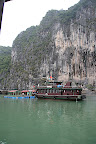
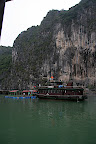
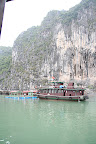
Exposure Value examples ... For a full view click on each picture
    
3 Pictures .. Exposure Value +/- 0.0 ;  -1.0 ; +1.0
all taken at 1/125sec @ f8


This day was extremely overcast so the overexposed picture (dark one) still
does not have a lot of sky detail.

Rule of thirds

The rule of thirds is a compositional rule of thumb in photography and other visual arts such as painting and design.[1] The rule states that an image can be divided into nine equal parts by two equally-spaced horizontal lines and two equally-spaced vertical lines. The four points formed by the intersections of these lines can be used to align features in the photograph. Proponents of this technique claim that aligning a photograph with these points creates more tension, energy and interest in the photo than simply centering the feature would. http://en.wikipedia.org/wiki/Rule_of_thirds

 
This photograph of a sunset taken in the Thousand Islands region demonstrates the principles of the rule of thirds


Once again a cloudy overcast day .. but at least I was there!!!

1/80 @ f5.6 EV -1.67       1/8 @ f9.0 EV 0.0          1/2 @ f18 EV 0.0
Fast shutter speed, short exposure Slow shutter speed, long exposure
Fast shutter speed, short exposure         Slow shutter speed, long exposure

http://www.shortcourses.com/use/using2-3.html
Fantastic shot!
Motion in a scene can be frozen or blurred depending on the shutter speed and other factors. Blur can be used creatively to evoke a feeling of motion as in this shot of a waterfall in Yosemite National Park.


This program works quite well and is completely free ...
... if you like the way it works you could ... if you wanted to ... pay for the full version ...
... most people I know have not bothered and I've not heard of any problems ...
... this is the antivirus I use myself.

AVG Free
Wikipedia says:
"AVG is an umbrella term for a range of antivirus and internet security software for the Microsoft Windows, Linux, and FreeBSD computing platforms, developed by AVG Technologies.

According to AVG Technologies, over 70 million users have AVG Anti-Virus protection, including users of the Free Edition. On April 24, 2008, AVG released AVG Anti-Virus Free Edition 8.0. Along with a more colorful interface, the new program added some new features - a combined Anti-Virus and Anti-Spyware protection engine, LinkScanner Search-Shield safe search protection, plus the AVG Security Toolbar - which were previously only available in AVG commercial versions."

Basic antivirus and antispyware protection for Windows available to download for free. Limited features, no support, for private and non-commercial use only.
http://www.grisoft.com/ww.product-avg-anti-virus-free-edition
http://free.avg.com/ww.download?prd=afe
http://free.avg.com/ww.homepage

Wednesday, August 27, 2008

Term 3 Session 4 Camera Settings, Histograms, Batteries, Gorilla Pod

(UPDATE Aug 2012 - I have removed images that won't display correctly but will leave the text here as reference)

Http://jimbell.id.au
Remember ... my site is ".id.au" not ".com.au"
for an explanation of ".com" etc try
Generic top-level domain <=== at Wikipedia


ISO Settings from Wikipedia...
"For digital photo cameras ("digital still cameras").... ISO setting—is specified by the manufacturer such that .... image files produced by the camera will have a lightness similar to what would be obtained with film of the same rating at the same exposure. The usual design is that the camera's parameters for interpreting the sensor data values ... are fixed, and a number of different ... choices are accommodated by varying the sensor's signal gain ... prior to conversion to digital."
From:   http://en.wikipedia.org/wiki/Film_speed#Exposure_index

Cameratown.com
ISO Sensitivity:

"A camera's ISO function sets the light sensitivity of the camera's image sensor (this is similar to the speed rating of FILM). ISO settings are often rated at 100, 200, or 400 but go as high as 800, 1600, and even 3200 on some advanced models. A lower ISO setting is used when capturing overly bright scenes, since it reduces the light sensitivy of the image sensor. This is ideal when shooting at the beach, on a ski slope, or under the midday sun. A higher ISO settings is often used when shooting under dimmer conditions (cloudy days, indoors, etc.) since it increases the light sensitivity of the image sensor. As brightness in a scene is decreased the camera tries to compensate by slowing the shutter speed which in turn lets in more light but increases the risk of motion blur. To prevent this, you can increase the ISO or sensitivity of the camera, which allows the camera to select a higher shutter speed, thus reducing motion blur. "
From:   http://www.cameratown.com/guides/iso.cfm   <<=== Follow this link
For a good explanation of ISO and how to use it.

"White Balance is an aspect of photography that many digital camera owners don’t understand or use - but it’s something well worth learning about as it can have a real impact upon the shots you take.
So for those of you who have been avoiding White Balance - let me introduce you to it. I promise to keep it as simple as possible and keep what follows as useable as I can:
At its simplest - the reason we adjust white balance is to get the colors in your images as accurate as possible."
From:  http://digital-photography-school.com/blog/introduction-to-white-balance/
White-Balance

"What is a Histogram

Histograms are a topic that we could (and probably should) spend a lot of time talking about but let me give you a very brief answer to get you through in the short term.

Histograms are a very useful tool that many cameras offer their users to help them get a quick summary of the tonal range present in any given image.
It graphs the tones in your image from black (on the left) to white (on the right).
The higher the graph at any given point the more pixels of that tone that are present in an image.
So a histogram with lots of dark pixels will be skewed to the left and one with lots of lighter tones will be skewed to the right.
The beauty of a histogram is that the small LCD display on your camera is not really big enough to give you an great review of a picture and you can often get home to find that you’ve over or under exposed an image. Checking the histogram can tell you this while you’re in a position to be able to adjust your settings and take another shot."


A nickel-metal hydride battery, abbreviated NiMH, is a type of rechargeable battery similar to a nickel-cadmium (NiCd) battery but using a hydrogen-absorbing alloy for the negative electrode instead of cadmium.
As in NiCd batteries, the positive electrode is nickel oxyhydroxide
(NiOOH). A NiMH battery can have two to three times the capacity of an
equivalent size NiCd. However, compared to the lithium-ion battery, the volumetric energy density is lower and self-discharge is higher.
Lithium-ion batteries (sometimes abbreviated Li-ion batteries) are a type of rechargeable battery in which a lithium ion moves between the anode and cathode. The lithium ion moves from the anode to the cathode during discharge and from the cathode to the anode when charging.

Lithium ion batteries are commonly used in consumer electronics. They are currently one of the most popular types of battery for portable electronics, with one of the best energy-to-weight ratios, no memory effect, and a slow loss of charge
when not in use. In addition to uses for consumer electronics,
lithium-ion batteries are growing in popularity for defense,
automotive, and aerospace applications due to their high energy
density. However certain kinds of mistreatment may cause Li-ion
batteries to explode.
From: http://en.wikipedia.org/wiki/Lithium-ion_battery


(NB.I still need to do more research so I can write up about focusing.)


The Original Gorillapod
is ideal for point-and-shoot compact
digital cameras weighing up to 9.7oz (275g).

http://www.joby.com/
"The Original Gorillapod is the lightest and most versatile camera tripod available today. Featuring over two dozen flexible leg joints that bend and rotate, the Gorillapod will firmly secure your compact digital camera to virtually any surface — anywhere and everywhere!"
http://www.joby.com/products/gorillapod/original/


Wednesday, August 20, 2008

Term 3 Session 3 ; Jim's Home page, Blogs, Printers, Using your camera.


(UPDATE Aug 2012 - I have removed images that won't display correctly but will leave the text here as reference)

From the home page of jimbell.id.au there are links to this blog as well as one called
Jim Bell's U3A Digital Photography Course that goes to the
course web
site, as opposed to this blog.
The web site's content almost never changes unlike the blog that gets updated regularly.


A blog is a website where entries are made in journal style and displayed in a reverse chronological order. ... www.sussexlearningnetwork.org.uk/glossary/B
About Blogs, Wikipedia says http://en.wikipedia.org/wiki/Blog A blog (a contraction of the term "Web log") is a Web site, usually maintained by an individual, with regular entries of commentary, descriptions of events, or other material such as graphics or video. Entries are commonly displayed in reverse-chronological order. "Blog" can also be used as a verb, meaning to maintain or add content to a blog.
About Web sites, Wikipedia says http://en.wikipedia.org/wiki/Web_site A website (alternatively, web site or Web site, a back-construction from the proper noun World Wide Web) is a collection of Web pages, images, videos or other digital assets that is hosted on one or more web servers, usually accessible via the Internet.


"Inkjet printers operate by propelling variably-sized droplets of liquid or molten material (ink) onto almost any medium.http://en.wikipedia.org/wiki/Ink_jet


"A laser printer is a common type of computer printer that rapidly produces high quality text and graphics on plain paper." http://en.wikipedia.org/wiki/Laser_printer

Image Editing Software. click on this link to go to the web site reference http://home.people.net.au/~james.bell/U3A/U3A_01.html#S05


"A dye-sublimation printer (or dye-sub printer) is a computer printer which employs a printing process that uses heat to transfer dye to a medium such as a plastic card, printer paper, poster paper, or fabric." http://en.wikipedia.org/wiki/Dye_sublimation_printer

List of digital camera modes

http://en.wikipedia.org/wiki/List_of_digital_camera_modes
"Most digital cameras support a number of digital camera modes for use in various situations. Professional dSLR cameras modes focus more on manual modes, consumer point-and-shoot cameras focus on automatic modes, and amateur prosumer cameras often have a wide variety of both manual and automatic modes. >
Manual modes give the photographer control over the various parameters of an exposure. They include:
  • P: Program mode offers partial control over shutter speed and aperture.
  • Tv or S: Shutter priority controls the shutter speed, and aperture is calculated by the camera.
  • Av or A: Aperture priority controls the aperture, and shutter speed is calculated by the camera.
  • M: Manual mode controls shutter speed and aperture independently."

Wednesday, August 13, 2008

Term 3 Session 2 File types, Buying a camera

(UPDATE Aug 2012 - I have removed images that won't display correctly but will leave the text here as reference)

Camera cards usually store your pictures as a ".jpg" file.
This is done to save space.
Some cameras also can store in RAW format this takes a lot of space
but is useful for specialist situations where it is
expected the image will be edited.
Remember you can always delete the ones you don't want
but it's really good to have spare cards
even if only to "not keep all your eggs in one basket".


If you are going to edit a photo it's a good idea NOT to save the edit as a .jpg
BUT .. if you're going to email a photo it's a really good idea to save as a .jpg
and to allow some "compression" ...
the people who receive the photo will appreciate it.


Buying a camera... see also:

Jim's Web site ; Digital Photography Review ;

Try to list all the factors you can think of and then answer questions
before you go out to buy the camera.

Wednesday, August 6, 2008

Term 3 Session 1 Digital vs Analogue

(UPDATE Aug 2012 - I have removed images that won't display correctly but will leave the text here as reference)
Welcome all to term 3.

These are notes from the board.

A Vinyl Record is Analogue storage and a CD is digital storage


Film photo is a record of the "Shadow" on the film
the digital photo is made up of pixels (Picture Elements)


Megapixels is a way we describe the number of tiles or pixels that make up the picture.


The more pixels there are ... the bigger the picture can be printed ... but...
At 300dpi (Dots Per Inch) a 2 megapixel image is 5" x 4" .... see below
(Also See .... Earlier notes here)


Screen resolution and displaying digital photos.
To display the "Actual Pixels" or a "Full Size" image on a computer screen
we get the following.


For further info see ... (This Link Here) ...  (And Also Here)